

I said two things to an AI, and it placed a real trade on Bybit. "Write the trading code," and "put the key in and run it." It opened a Bitcoin futures long at the minimum size (0.001 BTC) and closed it 10 seconds later. I didn't write a single line of code.
This is the first part of a series where I build a crypto trading bot with AI. The end goal is a program that watches every coin and enters and exits on its own when my conditions are met. Today is step one: get a single trade to go through.
Three things you need
You don't need to know how to code. You need these three things.
| What | What I used | Notes |
|---|---|---|
| AI coding tool | Claude Code | Codex or similar works too |
| Python | Stable release from python.org | You can ask the AI to install it |
| Exchange account and a little money | Bybit, about $10 | Binance works much the same |
An AI coding tool is a program you talk to like a chat, and it creates files and runs them inside a folder on your computer. You can start it by typing claude in a terminal. I used the Claude Code extension in VS Code, because the conversation and the files the AI makes sit side by side on one screen.
If you install Python yourself on Windows, tick "Add python.exe to PATH" on the first screen. If you miss it, your computer won't find python later.
Money you deposit on Bybit usually lands in the Funding account. Futures trade from the Unified Trading Account, so move it over with the Transfer button. If you don't, the bot will say your balance is too low.
Finally, make an empty folder. I called mine coinlantern. Open it, start the AI, and you're ready.
Just type what you want
Here's the first prompt I typed.
Write Python code that opens a Bitcoin long on Bybit at the minimum size and closes it 10 seconds later
The AI wrote a 117-line file on its own. From sending the prompt to getting the full explanation took a little over a minute.
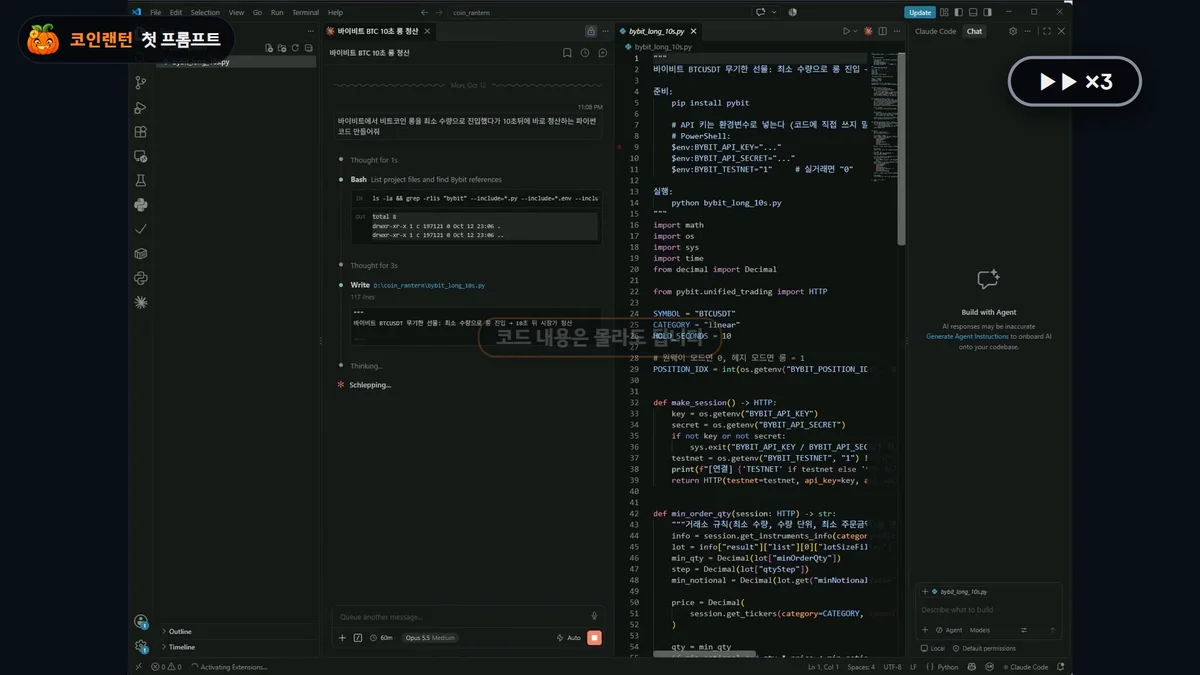
You don't have to read the code. These days even developers don't read every line the AI writes. If something breaks, you ask it why.
Do read the explanation the AI adds at the end, though. Mine said things like:
- The size comes from the exchange's rules (minimum quantity, minimum order value of 5 USDT), looked up each time. For Bitcoin that's usually 0.001 BTC
- Both entry and exit are market orders. The exit is reduce-only, so it can only shrink the position and never opens one the other way
- It defaults to testnet, Bybit's play-money exchange. To trade for real you have to change a setting yourself
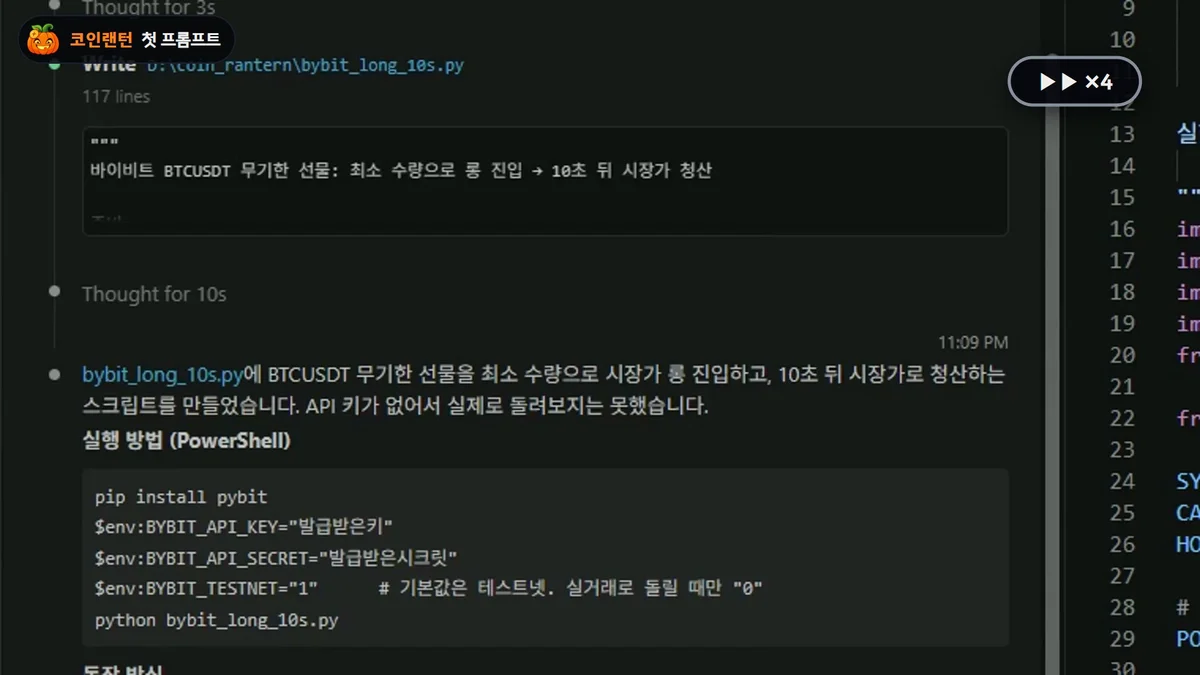
The first line of that explanation also said it "couldn't actually run it because there's no API key." That's the next step.
An API key is the key to your account
An API key lets a program place orders in your account. Instead of you clicking buttons, the program carries this key and asks the exchange to place the order.
Most exchanges, crypto or stocks, hand these out themselves. The more trading happens, the more fees they earn. A person makes a few trades a day. A program can make far more.
Creating an API key on Bybit
Log in to Bybit, click your profile at the top right, and you'll see API in the menu. Click to create a new key and pick "System-generated API Keys." Bybit generates the key for you, which is the simplest option.
Here's how I set it up.
| Field | What I picked |
|---|---|
| Usage | API Transaction (my own program trades directly) |
| Name | Anything you'll recognize |
| Permissions | Read-Write (read-only can't place orders) |
| IP restriction | None (expires in 3 months) |
| Trading permissions | Contract: Orders and Positions |
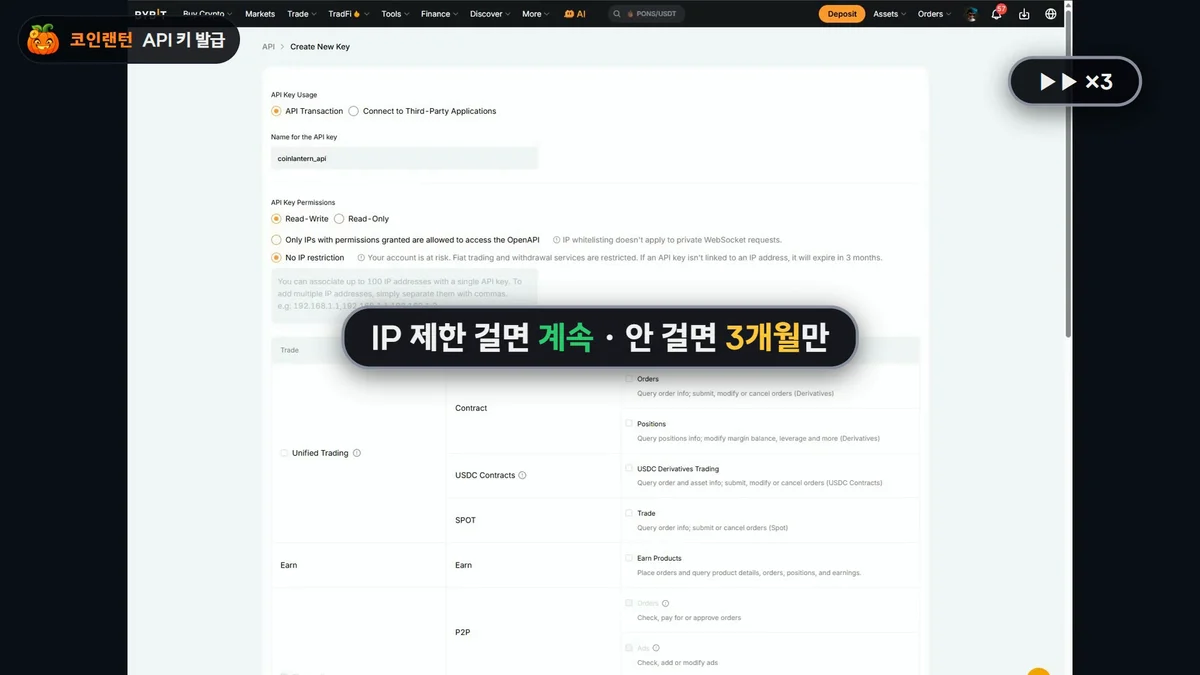
An IP restriction ties the key to your internet address. With one, the key never expires. Without one, it expires after 3 months. I skipped it today because I just wanted to see it work. For a bot you'll run for a long time, adding it is safer.
I left every other permission off. The fewer permissions a key has, the less someone can do with it if it leaks.
Submit, enter the security code, and you get two things: the API key and the secret. With those two, a program can trade in your account right away, so never show them to anyone.
This is where I got stuck once. Bybit shows the secret only once, in that window. I closed it without saving and had to make a new key. Copy both before you close the window.
Put the key in and run it
Tell the AI you have the key and it will set it up for you. In the video I pasted it into the chat, and the AI created a file called .env and put it there. That keeps the key separate from the code, so you can show the code to anyone and the key won't come with it.
One catch: a key pasted into the chat stays in your AI conversation history. Mine was a 3-month test key, so I was fine with that. For a key you'll keep, ask the AI to just create the .env file and paste the key in yourself.
The .env file also holds the line that picks testnet or your real account. The AI's code defaulted to testnet, so to trade for real you have to switch that value. That one line decides whether real money moves, so check it before you run anything.
Once the key is in, ask the AI to run it. I wanted to watch the entry happen on Bybit, so I typed this.
Run the code so it buys after 3 seconds and sells 10 seconds later. I want to watch it happen
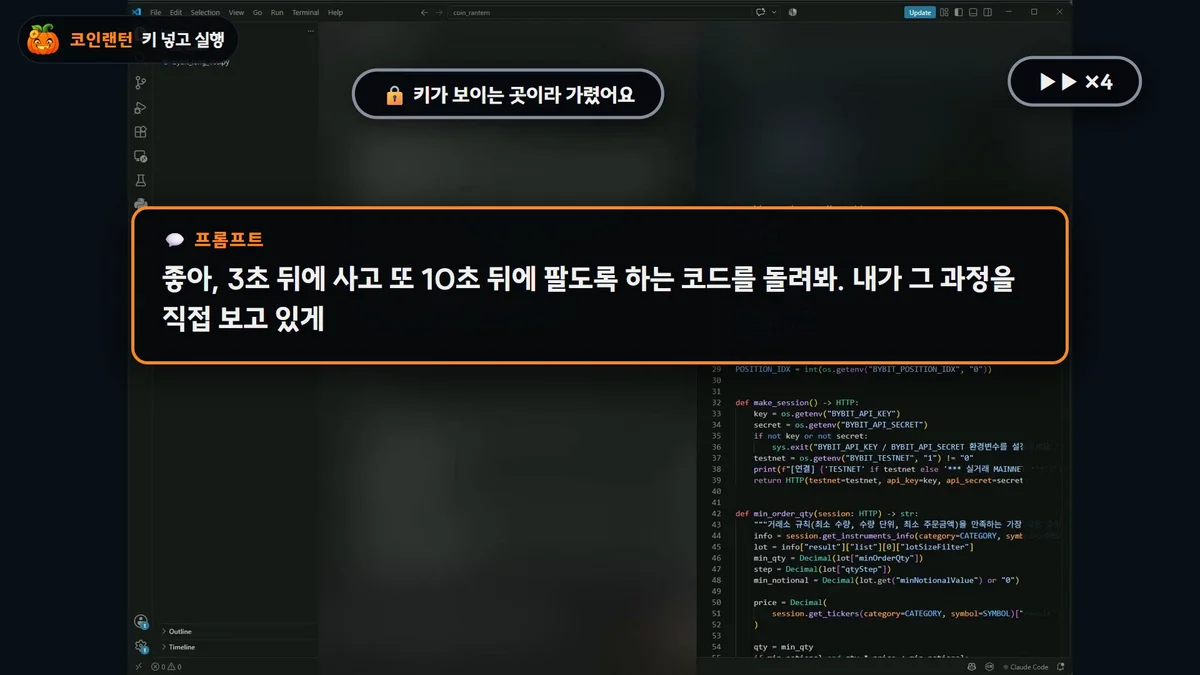
In after 3 seconds, out after 10
Three seconds after it started, a Bitcoin long showed up in Bybit's Positions tab.
| Item | Value |
|---|---|
| Size | 0.001 BTC (minimum) |
| Value | 82.90 USDT |
| Entry price | 82,900.20 |
| Leverage | 10x (cross) |
| Margin used | about 8.33 USDT |
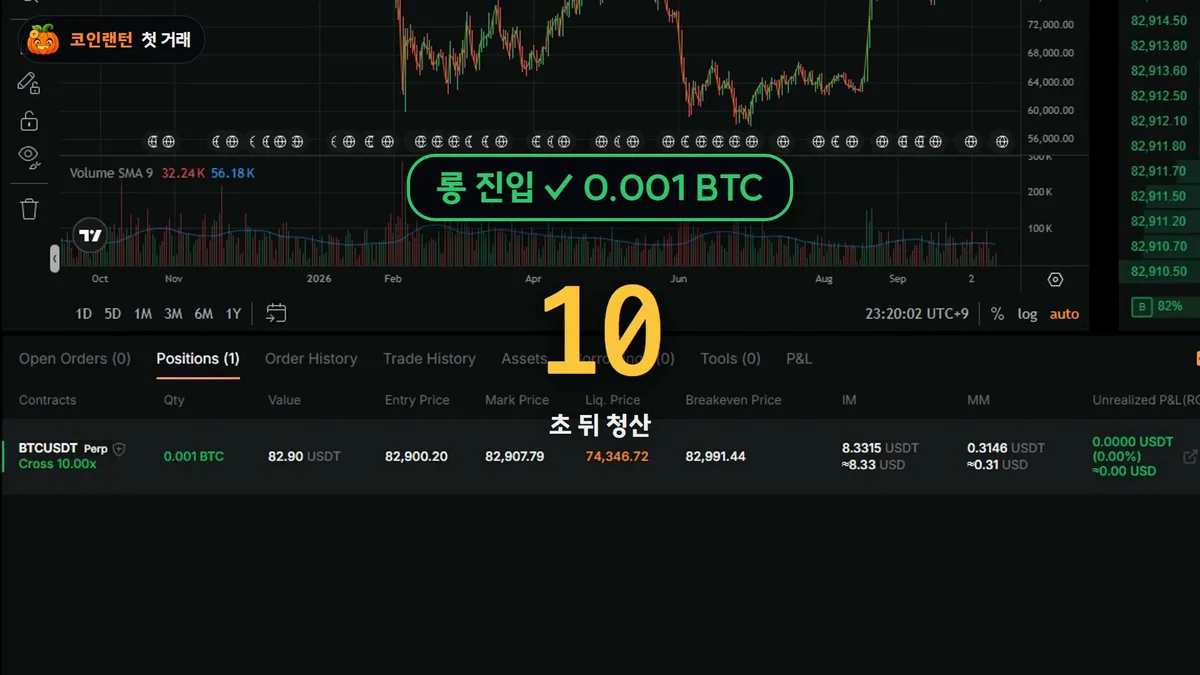
I didn't touch leverage. Bybit usually defaults to 10x, so that's what it used. That's why an $83 position only tied up a little over $8, and why about $10 is enough. If you want different leverage, just tell the AI.
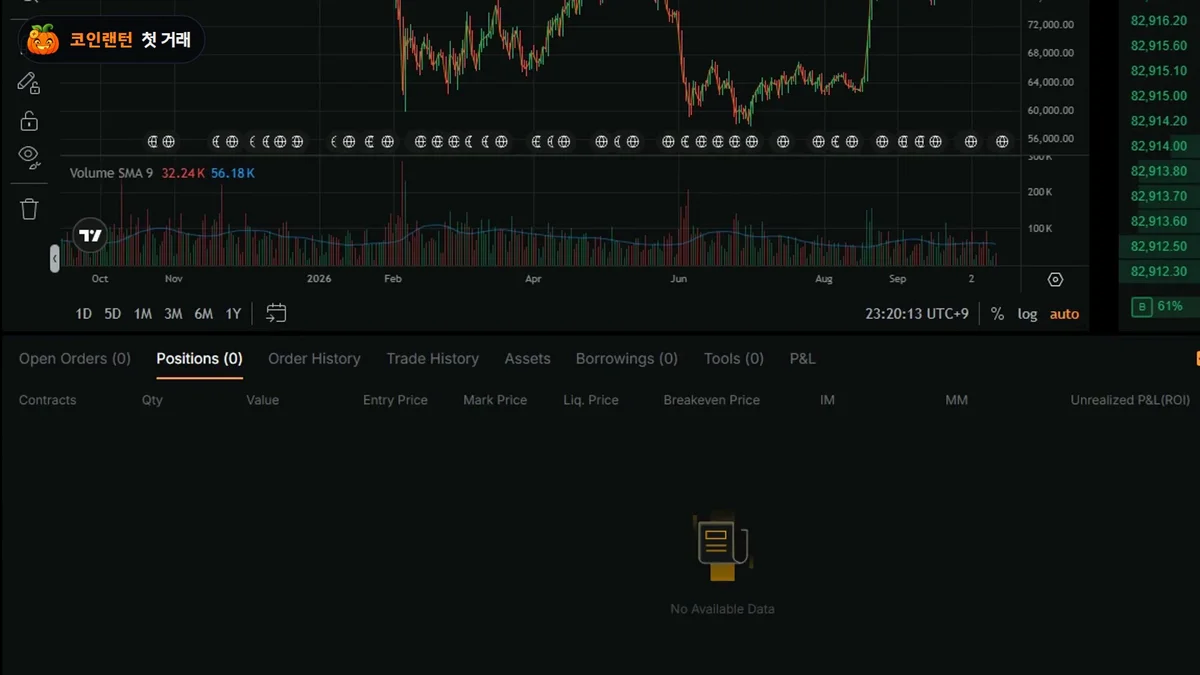
Ten seconds later the position was gone. The exit went through exactly as asked.
If it doesn't work
If you followed along and it fails, paste the error message into the AI and ask why. It's pretty good at pointing to the cause. The usual suspects:
- Insufficient balance → is your money still in the Funding account?
- Invalid key → did you use a testnet key on your real account, or the other way round? (Testnet keys are made separately at testnet.bybit.com)
- No permission → did you tick the futures Orders and Positions permissions?
- Position side error → is your account in hedge mode (holding a long and a short at once)? If so, tell the AI
Not a trading bot yet
All I said to the AI today was two things: write the trading code, and put the key in and run it. I didn't write any code myself.
This isn't automated trading yet, though. It only trades when I tell it to. In the next part, I'll have it pull prices for a few coins every 15 minutes and enter and exit on its own when my conditions are met.
Nothing here is investment advice. Crypto is volatile, and past results don't guarantee future returns.